Categories
Web Development Website Building

Important Features Of Java That Every Developer Must Know

Since its introduction in 1995, Java has remained a popularly in-demand programming language. Despite newer languages joining the competition, it is still among the most popular languages available to developers. It is used in cloud applications, app development, and even IoT programming.

We asked the experts to share some of the important features of Java that developers need to know.

So What Does Every Java Developer Need to Know?

Web Applications

“Java is an excellent choice for building web applications. It enables users to create dynamic, scalable, and highly reliable web applications. Java can be used for the rapid development of prototypes and simple applications with minimum effort. It provides a faster framework for developing web apps or back-end systems. This is the main reason why it has gained popularity over time among software developers.” (Lynda Fairly)

Ecosystem

“The Java ecosystem is vast and diverse, with APIs for interacting with hardware components and features like J2EE, Web Services, Spring, Hibernate, etc. With the help of these features, it is possible to create large-scale enterprise applications. Java has been a trendy choice among developers for enterprise scalability and flexibility. It enables its users to develop backward-compatible software that can be used on many different platforms.” (Lynda Fairly)

Architecture

“Java is based on a simple architecture with a consistent codebase. It has been designed to be platform-independent and can be used across any hardware or software component. This makes Java a scalable, robust, and easy-to-use technology. The safest coding practices are followed while writing code in Java, and the risk of errors is minimized. The robust structure of Java also allows it to withstand and quickly recover from any unforeseen circumstances or mistakes that may arise during execution.” 

Lynda Fairly, Co-founder Numlooker

Codes

“Managing every assignment assigned by your firm requires strong code handling skills. Make sure you know the basics. Always go through the tutorials, lessons, and exercises. When writing code, you should comprehend every line. Never lose configuration and utility snippets as they are vital to you. If you are not skilled at coding, you can take decent Java courses to improve your skills. Coding is a crucial part of becoming a successful Java Developer. Under no circumstances should you take it lightly.” (Edward Mellett)

Build a Solid Foundation

“To be a skilled Java developer, you must have a solid understanding of OOP (Object Oriented Programming). You will never appreciate the beauty of Java programming unless you understand OOPS. Object-Oriented Programming is object-based programming utilized by all Java developers.” (Edward Mellett)

Keep Up With Technology and Practice

“You should always be on the lookout for new technology developments and stay up to date with technology news. Create a simple client-server TCP service and use it to learn more. As a Java developer, you should read the source code of many popular and successful frameworks, which requires daily practice. Remember that practical knowledge is more important than theoretical knowledge in any field. You must practice hard to get flawless. Online queries can be asked via Java forms or groups.” (Edward Mellett)

Solving Problems

“All software is meant to solve users’ and other problems. A skilled Java developer should grasp class loading. You must be well versed in garbage collection and minimization. You should also know when to employ design patterns.”

Edward Mellett, Co-Founder WikiJob.co.uk 

It is Simple and Well Known

“Java is easy because Its coding is simple and clear. It removes complexity by not using tough features of other languages like C and C++, such as: 

  • Explicit Pointers
  • Storage types
  • Headers and preprocessors
  • Inheritance
  • Operator Overflow
  • Statements

“Aside from eliminating these problematic ideas, Automatic Garbage Collection eliminates the requirement to remove unreferenced objects directly. It is based on C and C++ and has many of its advantages, but without the drawbacks, complications, and confusion. So, if you know C/C++ well, Java will be comfortable and easy to grasp.” (Chris Taylor)

Recognized

“It compiles Java source code into bytecode (javac). The Java Virtual Machine (JVM) then executes this portable bytecode.” (Chris Taylor)

Platform-Neutral

“Java’s greatest strength is its platform independence, which leads to portability. A platform-independent program can run on any machine in the world without modification. Java uses BYTE coding to gain platform independence. It converts source code to byte code, which is then translated into machine code by another layer of software called JVM (Java Virtual Machine).” (Chris Taylor)

Portable

“The SE (Standard Edition) version of Java is portable. Architecture-neutrality provides portability. You can run Java bytecode on any machine that has a compatible JVM. In Java, unlike in C/C++, the size of primitive data types is not machine-dependent. These features make Java programs cross-platform, including Windows, Unix, Solaris, and Mac. Moreover, modifications to operating systems, processors, and system resources do not affect Java apps.” (Chris Taylor)

Architect-Friendly

“Software created on one platform or OS can run on any other platform or OS without recompiling. Writing once and running anywhere (WORA) or writing once and running everywhere (WORE) is the basis. The Java Virtual Machine (JVM) can quickly transform bytecode into machine-specific code. Useful when creating applets or downloading apps from the internet.”

Chris Taylor, Marketing Director Profit Guru

Foreign Memory

“Although it was originally rolled out in Java 14, one of the more interesting features that developers need to get more familiar with — new and experienced — is foreign memory access. 

Foreign memory is anything that falls outside of the localized JVM heap. It’s not meant to handle large segments of memory, and they cannot be part of the garbage collection process. These traits make foreign memory undesirable for most projects.

“The upgrade brought about some welcome changes, however, like the new VarHandle API. With it, you can configure var handles. It also makes memory mapping a lot better to work with. Plus, Java 16 introduced the Foreign Linker API which vastly simplifies working with native libraries.”

Karl Hughes, Founder of Draft.dev

Categories
Web Development

Why You Should Be Careful When Outsourcing SEO

Excellent search engine optimization (SEO) is essential for business growth. “Recent study data revealed that 68% of all trackable website traffic comes from organic search, proving that you need to appear at the top of search rankings if you want to get noticed.”  

It might be complicated to achieve excellent SEO on your own, but if you choose a professional SEO specialist, they should be able to help you. In this article, you’ll be enlightened about why you should be careful when outsourcing SEO.  

Why Outsourcing SEO Might Be a Good Idea  

The trigger for SEO outsourcing for digital companies without SEO talent is almost certainly winning client work that calls for SEO services. In addition to possible cost savings from outsourcing services, there are advantages exclusive to digital agencies:  

1. Flexibility  

Outsourcing SEO is highly beneficial for companies who provide it as a non-core service. Agencies have the most excellent flexibility to deliver the service to the market without the ongoing costs of retaining a full-time resource because they may hire an SEO expert quickly for short-term projects.  

2. Employee Satisfaction  

“The best agencies will always put their people first. Good staff equals happy clients and a better bottom line,” says Myles Anderson, Founder & CEO of Bright Local. Outsourcing can lead to increased team member satisfaction as it can reduce the burden on your in-house team, and they can focus on the tasks they’re good at and enjoy.  

3. Free-up Resources  

The team of digital agencies has several overlapping talents. An SEO strategist’s skills may also be found in content marketers, paid media specialists, and social media strategists.  

Advantages of SEO Outsourcing in SMBs  

SEO is a function that is outsourced, either to an SEO freelancer or a digital firm. Most often, this is because keeping a full-time SEO position on staff is not financially feasible. But there are other advantages to outsourcing SEO for SMBs as well:  

1. Improved Scalability  

Entrepreneurs continuously consider growth. Without having to commit to ongoing fees or spend time and money on training or upskilling, outsourcing SEO can help SMBs expand swiftly.  

2. Save Money  

When it comes down to basic economics, outsourcing SEO is almost always more affordable than hiring staff on a full-time basis. The key factors are how you identify the best outsourcing personnel and how you work with them. There is a lot of variation in freelance SEO prices, and not all outsourcing processes operate similarly.  

4. Get A Different Point Of View  

An outside perspective can be treasured, whether you’re an SMB or an enterprise. The right digital firm has extensive SEO experience and can provide insights and recommendations you may not have considered.  

Drawbacks of Not Carefully Outsourcing SEO  

Outsourcing SEO Services has many benefits, but you should be careful when doing so. Here are a few reasons why:  

1. Not All SEOs Are Created Equal  

Many people consider themselves “SEO specialists.” In reality, they know very little about the subject. When you’re looking for someone to outsource your SEO, be sure to do your research and only work with someone who is truly an expert in the field.  

2. It’s Easy to Get Scammed  

Unfortunately, a lot of people are looking to take advantage of businesses that don’t know much about SEO. They may promise you the world but then deliver very little, or they may use black hat techniques that will get your website penalized by Google. Be careful when outsourcing SEO, and only work with someone you trust.  

3. You Could Be Missing Out on Valuable Insights  

When outsourcing SEO, you’re giving up control of an essential part of your business. You might not be familiar with all the newest trends and changes in the SEO world, and you may not make the best decisions for your website if you’re not intimately involved in the process.  

4. It Can Be Expensive  

Outsourcing SEO can be very costly, and ensuring you’re getting what you pay for is essential. Be sure to compare prices and services before making a decision, and always get a contract in writing so that you know exactly what you’re paying for.  

5. You Could Be Risking Your Website  

If you’re careless, you can wind up causing more damage than good to your website by outsourcing SEO. Be sure you understand the process and what to expect before making any decisions, and always work with someone you trust.  

6. It Takes Time to Build Relationships  

When outsourcing SEO, you’re essentially starting from scratch with someone new. Building trust and rapport takes time, and you may need to invest some time upfront to get the best results.  

7. You May Not Get The Results You Want  

There are no guarantees in the SEO practice, and even the best outsourcing firms can’t guarantee that you’ll achieve top rankings or tons of traffic. However, working with reputable SEO service providers can help you set realistic expectations. You cannot expect overnight success, but a trusted provider can help you navigate the road in the right direction. 

Five Common SEO Mistakes to Avoid  

Although every business is unique, SEO principles are the same: Rank higher for popular keywords to increase traffic to your website. It’s challenging to achieve this goal, which causes some businesses and SEO firms to make risky and expensive errors. The top five mistakes to avoid are listed below:  

1. Keyword Stuffing 

This is a common mistake where site owners or SEO firms add an excessive number of keywords to website content to rank higher for those keywords. It’s unnecessary, and it will only serve to irritate your readers.  

2. Duplicate Content 

Many businesses make the mistake of copying content from other websites or using the same content on multiple pages of their own website. It’s a bad idea for two reasons: first, it’s plagiarism, and second, Google will penalize you for duplicate content.   

3. Low-quality Backlinks 

In an attempt to generate backlinks, some businesses will create low-quality, spammy links from link farms or other shady websites. Low-quality backlinks will only serve to harm your website‘s reputation.  

4. Unoptimized images 

Images are vital in any website, but they must be properly optimized to rank well in search engines. Add keyword-rich alt text to your images and avoid using generic filenames.  

5. Muddled Meta Descriptions 

The meta description is the short text that appears in search engine results beneath your website’s URL. It should be clear, concise, and accurately reflect the content on your page. Many businesses mistake stuffing keywords into their meta descriptions or leaving them blank altogether.  

Final Thoughts  

Outsourcing SEO can be a powerful tool to get help with your website’s ranking, but it’s essential to be careful when going this path. Many providers claim to be experts but don’t know what they’re doing, and it’s easy to get scammed. So, make sure you understand the process, and what to expect before making any decisions, and always work with a provider you can trust. Finally, it’s also important to be involved in the process to make the best decisions for your business.

Categories
Web Development

How Much Does It Cost to Build A Website On Wix.com?

Through the decades, the Internet has grown to become one of our essentials. In fact, try imagining a world without the Internet—it’s almost inconceivable, right? As of 2021, there are 4.66 billion global Internet users, which is more than half of the world’s population.  

The Internet is now the life force of most industries, from research and education to social media and entertainment, and most recently, even businesses. Given the rapidly-growing number of internet users, it is no surprise how important having an online presence is. 

If you wish to take your business to the next level. It is most convenient and time-effective to have your own website, and the earlier you get it up, the better. However, creating a website from scratch is no easy task. 

It might be daunting as it requires a lot of time and effort. Also, not everyone is familiar with how websites work. Not to mention, the web jargon used in website building could make your head spin. So, knowledge is key when it comes to creating a great website.

Read on to learn more about what goes into website building and how much Wix charges to build your website. 

Website Building 101: Primary Elements Of A Website

Like everything, from making sandwiches to building a website, there isn’t a single best way to go about it—which is all the more frightening for first-time website builders. It might ease your anxiety if you know the main features that are present across all websites.

Domain Name

The domain name is simply your virtual address on the web. Similar to how your home address works, your domain tells your customers where to find you online. A great domain name would make your website easily recognizable and draw in more traffic. It also helps provide a sense of identity to your brand and solidify your products or services as trustworthy and legitimate. 

Website Design And Interface

Upon looking up your domain name, this is what customers would see first. It is arguably the most essential part of website building as it contains your site’s visual content. Think of this as your virtual building where customers can interact with your business. 

When customers first come to your website, its design and interface could leave a lasting impression on them. A successful design would make your website stand out while a smooth interface would allow your customers to fluidly navigate your website. Combine the two and you get an all-around positive customer experience. 

Hosting

Hosting is the allocated space on a server where your website resides. This is where your virtual building sits, and without it, your website won’t have a place to exist. 

Hosting enables your website to go live online. The server, which is connected to the Internet, stores information on your site so that your customers would be able to see it.   

Prices for hosting, domain names, and web design and interface will vary depending on the kind of website you need. Wix is a popular choice for its price plan. Read through our resources to if you’re planning to build your website from scratch.

What To Know About Building A Wix Website

Wixblog has provided a breakdown of costs based on the common types of websites. Check out the table below to quickly determine the costs if you build a website on Wix yourself. 

Types of WebsiteUsing a Website BuilderWeb HostingCustomize Domain & Advanced Features (per month)Hiring a Web Designer
BlogFreeFree$23.00-$49.00$15-$1,000
eCommerceFreeFree$34.00-$64.00$25-$4,200
EventFreeFree$23.00-$49.00$15-$1,000
PortfolioFreeFree$23.00-$49.00$15-$1,000
OtherFreeFreeAvg.$23.00Avg. $300

Ultimately, Wix.com allows you to create your website and go live online without having to spend a single penny. A website builder, such as Wix, is a great platform to simplify the web-building process, especially for beginners. Wix already provides you with templates and user-friendly tools that you can use to create and publish your website for free! 

However, if you want to take your website up a notch, then you have to be aware of the additional costs. The monthly charge would vary depending on the type of website and the additional features you want to include in your website.  

While creating a free website with Wix tools, additional features such as extra storage, a bookings app, or a payments app would generally cost you a few bucks. Other features to enhance the user experience such as SEO tools and other analytics tools also add to the expenses list.   

To better understand how much does Wix charge to build a website, check out this Page Kits blog today!

Categories
Web Development Website Building

How To Add A Free Live Chat On WordPress

How To Add A Chat To A Website

To add a chat, in particular txt.me on WordPress, should use the settings:

  1. Open the popular CMS control panel and click the Plugins option link in the left menu.
  2. Click the Add New button in the upper functional part of the screen.
  3. By opening a page where you can add to the general list of previously installed plugins, the user has the right to choose any of the available software, for example, txt.me. To do this, enter the required name in the upper right corner in a special search form.
  4. The system should find txt.me – WordPress live chat plugin free. As soon as the window with the logo appears, the user will need to click the Install Now button, after which the software installation process will begin.
  5. After completing the product installation process, the device owner should see the “Activate Now” button in the same area. If there is a similar situation in the future, the user will be able to Activate/Deactivate WordPress chat plugin free at any time directly on the Plugins > Installed Plugins page.
  6. After activating the product, a blue logo should appear in the menu on the left, which indicates the presence of WordPress chat plugin free – txt.me. The next step is to configure the plugin. This is a mandatory step necessary to establish the connection of the new chat plugin directly to the user’s account on txt.me. If the owner of the device does not have an account yet, you will need to create a personal account. To do this, you will need to go to the page https://app.txt.me and register.
  7. By opening the live chat WordPress plugin free page txt.me the user logs into his personal account on txt.com to perform the main step is to link two components, namely an account on txt.com with a personal page of a popular CMS.

After completing the login process under his account name, the owner of the device sees a list of chat widgets that is assigned to this account txt.me. At his discretion, the user determines the software that he plans to use for this web page. To activate the settings, at the end of the previous steps, you will need to click the Save selection button.

How Can I Increase The Conversion Of Welcome Messages?

In some cases, potential customers spend most of their time chatting to ask questions about purchases they are planning. Once the company representative answers all the questions, it can be much easier to place a large order if both parties know how to manage the conversation. The modern form of omnichannel communications allows you to speed up the process and establish high-quality feedback.

This is live chat. The messages should be of interest and value to readers, which is especially important for senior marketers and public relations specialists, many agencies, marketers of B2B technologies – those who care about customer service.

What Advantages Can Active Communication With Customers Give To A Business?

How To Use Live Chat for Omnichannel 

Adding a live chat WordPress plugin free will improve the customer service process according to the following criteria:

Prevents loss of customers due to busy phone lines.

A holistic customer experience platform and live chat ensure that the company or its representative will be aware of every attempt to contact customer support. By creating an omnichannel customer experience, a service or company provides its customers with a simple and intuitive way to interact with the customer, regardless of which platform is used. This is a form of proactive communication.

Online chat has the best response time.

Live chat has the shortest response time among all channels, which corresponds to the proactive chat system. The average waiting time for email support is measured in hours, and the average response time in a chat is measured in minutes. Especially appreciate the possibility of live chat canned responses examples.

Categories
Web Development Website Building

Dreamweaver vs WordPress: Which Is A Better Website Builder?

Building a website is a very achievable task these days, thanks to the number of available website builders. Popular site builders, like Dreamweaver and WordPress, are often stacked up against each other to compare the features and highlights of each platform.

If you are choosing between Adobe Dreamweaver vs WordPress, it’s good to know their differences so that you can determine which one will work best for you. Here we will run you through the site builders so that you can decide if Dreamweaver or WordPress will be your go-to tool. 

WordPress

Dreamweaver

Main Difference Between Dreamweaver And WordPress

While both Dreamweaver and WordPress can be utilized to create the best website for your brand, there are some key differences to note. Dreamweaver is ideal for those well-versed in coding and site-building as it requires technical prowess in doing so. It is also a paid tool that needs to be downloaded. 

On the other hand, WordPress is beginner-friendly due to its intuitive nature. You do not need to be an expert at coding or site building, because you can get started away with its flexibility and customizable features. 

Plans And Pricing

WordPress has five plans — including a free one — that you can choose from, whereas Dreamweaver gives you a one-week free trial before you will have to pay for a monthly subscription.

DreamweaverWordPress
1. Adobe Dreamweaver Single App – $27.62/month
Adobe PortfolioAdobe
Fonts100 GB cloud storage
Access to latest updates and features upon release

2. Individuals – $52.62/month
Adobe Portfolio
Adobe Fonts100 GB cloud storage
Access to latest updates and features upon release

3. Students and Teachers – $26.30/month
Adobe Portfolio
Adobe Fonts100 GB cloud storage
Access to newest updates and features upon release

4. Business – $54.04/month
Adobe Portfolio
Adobe Fonts100 GB cloud storage
Access to latest updates and features upon release
1. Personal – $4/month
Free domain (1 year)
Unlimited support (email)
Payment collection
No WordPress adsIn-class hosting

2. Premium – $8/month
Free domain (1 year)
Unlimited support (email)Payment collection
No WordPress adsIn-class hosting
Ability to earn ad revenueLive chat support
Video uploads
Premium themesGoogle Analytics

3. Business – $25/month
Free domain (1 year)
Unlimited support (email)
Payment collection
No WordPress adsIn-class hosting
Ability to earn ad revenueLive chat support
Video uploads
Premium themesGoogle Analytics
Database Access and SFTP (SSH Transfer Protocol)
Advanced SEO Tools
Automated website backups
Access to 50,000+ plugins

4. eCommerce – $45/month
Free domain (1 year)
Unlimited support (email)
Payment collection
No WordPress adsIn-class hosting
Ability to earn ad revenueLive chat support
Video uploads
Premium themes
Google Analytics
Database Access and SFTP (SSH Transfer Protocol)
Advanced SEO Tools
Automated website backups
Access to 50,000+ plugins
Top Shipping Carrier Integration
Payments for 60+ countriesPremium store design options

At first glance, Dreamweaver’s subscription may be more of an investment. However, you will still need to get additional plugins and SEO functions, unlike WordPress. WordPress may be more justifiable in terms of its pricing and inclusions.

Ease Of Use 

WordPress and Dreamweaver may differ extensively in terms of ease of use. Depending on your level of expertise, you may choose Dreamweaver if you are more adept at coding and WordPress if you are a beginner.

DreamweaverWordPress
Dreamweaver is more complex, giving you two editing options: a code and a visual editor. The code editor supports numerous coding languages, and you can get additional support. The visual editor has drag-and-drop functionalities, but does not have as many features — adding these requires code.It is easy to get started with WordPress because it is more streamlined and intuitive in its functions. You can easily navigate the platform without knowing anything about coding. You can build your ideal site by getting plugins and using WordPress’ many themes. 

WordPress’ ease of use and accessibility definitely win, thus explaining the widespread adoption of this site builder by individuals and businesses. It is especially appealing in its variety of themes and plugins, and you can build any type of site.

Themes And Functionality

Both WordPress and Dreamweaver allow you to create beautiful and functional websites thanks to their themes selection, which can be customized with plugins and codes, respectively.

DreamweaverWordPress
Dreamweaver has 16 templates in its software, but you will need to use code to customize the themes to your liking. Many professionals opt to use Dreamweaver for this purpose, as you have complete control.WordPress has both paid and free themes that are ready to use, both available in-house and on third-party sites. You can edit elements of a page to customize the site further.

On top of its myriad of themes, WordPress’s customization options with plugins help make it an excellent choice for beginners and even established businesses. 

Product Presentation And Features

In terms of products and integrations, Dreamweaver and WordPress have a lot to offer. These can align with your brand’s identity and message, making your site unique.

DreamweaverWordPress
Since Dreamweaver is an Adobe product, you have access to Adobe’s other tools to customize your site even more. It also supports many coding languages for more control over your site.WordPress offers many integrations and plugins — pretty much everything you could ever imagine or need for your site. 

WordPress’ products and plugins win, given how there’s one for all of your needs, especially as add-ons to your chosen themes. 

Payment Options

One area where Dreamweaver and WordPress may not differ too much is the payment options available for purchasing the platform.

Payment OptionsDreamweaverWordPress
PayPalYesYes
Credit CardYesYes
Debit CardYesYes

Point Of Sale Capabilities

For eCommerce sites, point of sale capabilities are essential. Here’s what Dreamweaver and WordPress have to offer. 

DreamweaverWordPress
Dreamweaver allows you to create any kind of web application, including an eCommerce site, but it will have to be coded from scratch.WordPress has plugins for POS systems that are affordable and user-friendly and will let you manage customers, sales, orders, and inventory. 

POS systems for WordPress may be far easier to set up since you just need to get a plugin.

Sales Channels

You can purchase your plans for Dreamweaver and WordPress directly on their websites. You can pick your chosen plan or subscription method, billing scheme, and payment options depending on your desired budget and functionalities needed — especially for WordPress.

Customer Accounts And Checkout Options

For both builders, you will need to create accounts before getting started on building your website. Both Dreamweaver and WordPress are relatively straightforward about account setup and checkout.

DreamweaverWordPress
Dreamweaver is an Adobe product, so you will need to make an account on the Adobe site or enter your email address to make the software purchase. WordPress requires creating an account before getting started and choosing your pricing plan.

SSL

WordPress has an easy-to-integrate SSL plugin to make your site more secure and encrypt communication between browsers and servers. With the help of a third party, you can also redirect your Dreamweaver sites to SSL.

SEO

SEO is integral to the websites that you build for your business, and WordPress actually offers advanced SEO tools in its Business and eCommerce plans. On the other hand, Dreamweaver does not have any built-in integrations related to SEO. These must be done manually.

Speed

The speed of your website is an essential factor influencing user experience. Here’s the difference between site speeds for Dreamweaver and WordPress. When it comes to site speed, following tips and tricks on both platforms can help optimize performance.

DreamweaverWordPress
Dreamweaver has a simplified coding engine that improves site speed. They have starter templates that you can customize, lessening the time it takes to set up shop.There are many strategies for speeding up WordPress sites, from reducing image sizes, cleaning up your database, carefully choosing your web hosting service, and more.

Market Place/App Store

App stores are where you can find more tools for improving and customizing your site. These differ for both platforms.

DreamweaverWordPress
Since Dreamweaver is part of Adobe, you will be granted access to all its other tools and software as well.WordPress is known for its app store, where you can find integrations, apps, and plugins for all purposes that you can use in your store.

Customizing your site requires more coding with Dreamweaver, but it’s WordPress’ app store that is extremely popular and widely used.

Support

Support is necessary, especially if you encounter mishaps or hiccups when building your site or when it’s already up. Both builders offer support in various ways.

DreamweaverWordPress
Dreamweaver has user guides and a host of tutorials for users. These tools assist users when learning how to build their site or when troubleshooting an issue.WordPress offers unlimited email support for every pricing plan and live chat support for their Premium plan upwards.

WordPress is ideal for direct, real-time support, and Dreamweaver offers guides for you to address and tackle potential issues on your own.

Frequently Asked Questions

Got more questions on Dreamweaver vs. WordPress? Read on!

Do professionals use Dreamweaver?

A lot of professionals use Dreamweaver as it requires technical knowledge and coding expertise to execute a fully functional site. Dreamweaver also gives you more free rein in designing your own site because most of the process is done from scratch.

Is Dreamweaver drag and drop?

Dreamweaver is not drag and drop, as the site is built on code and supports different coding languages.

How much does Dreamweaver cost?

Dreamweaver is free for a week until you have to choose a subscription. It costs $27.62 for the single app.

Verdict

Based on the above comparison, WordPress is the best website builder. It offers more features and functions, and you do not need any specific technical background to get started.

It is suited for beginners, but even professionals and seasoned businesses can customize their sites with WordPress. Check out PageKits for more articles on website builders!

Categories
Web Development Website Building

How To Start Your Career As A Software Developer

So, you are looking forward to becoming the most reputable software developer? Well, there are many routes you can take to find yourself at the top. 

Here are some tips you should master if you aspire to become a top software developer.

1. Pursue a Degree in Computer Science 

Getting the right education is one of the most traditional ways to become a software developer. With a degree, you can master and clear out the theoretical concepts which can help you understand the concept of software engineering.

When you take a bachelor’s degree in computer science, you will study subjects like Computer Networks and Database Systems, which are critical in software development.

You can pursue a master’s degree in software development to get the right knowledge and skills to become a professional software engineer. 

Apart from getting a degree and masters in computer science, you can also get some knowledge in software development from boot camps. 

Most recruiters will always consider your practical skills in the field when hiring you.

2. Learn Programming Languages 

There is no way you will become a software developer if you don’t learn a programming language. This is the base of any software project that you will take. 

If you have a degree but lack an in-depth understanding of a specific programming language, you are not likely to take on most software development projects.  

You have to live, eat, and breathe coding if you want to get the most out of your software development career. 

If you choose to be a software developer, learning coding and programming languages like Python and HTML will give you an upper hand to being one of the best in the industry. 

Learn and practice coding and programming languages that will be useful in your projects.

3. Avoid Specializing in a Specific Programming Language 

If you’re starting your career in software development, you should avoid specializing in one programming language. There are very few projects in the industry that require a specialty in a language. Therefore, you want to familiarize yourself with many languages to win most of the projects. Focus mostly on popular languages and how to use various coding tools.

The broader your knowledge of programming languages is, the higher your chances of getting a software development job. Specializing is a decision you get to make once you have built your career down the line.

4. Work On Real-Time Projects 

To gain practical knowledge of coding and programming, you should work on some real-time projects and build your unique portfolio. 

When you get out in the market to get a software development job, your experience level will be more important in convincing recruiters.  

Your practical skills are more important than your academic qualifications. If you learn all the theoretical concepts and don’t have any idea about implementing them, you may not be fit to take on any job.

5. Network and Collaborate 

When working on real-time projects, you can collaborate with other experienced programmers and build a portfolio to help you win future projects. If you want to develop your career as a software developer, you should keep interacting with others.

Find a mentor, preferably someone with experience in software engineering, to hold your hand. You can also build your career by partnering with others on different projects. 

Join local groups and meetups to discuss, build your brand, and learn in the process.

If you want to start and advance your career, you should develop your technical skills or get more experience.

6. Start Looking Dor Job Opportunities 

If you want to get far with your software development career, you should seek real jobs in the market. 

Once you have learned the practical and theoretical aspects of software engineering and built a portfolio, you should now move one step ahead and start seeking jobs. 

Create a unique resume and start applying for jobs that come your way. Visit different job portals and apply for jobs that catch your eyes.

If you’ve been networking with others in the industry, it won’t be that difficult to get a job. Create a professional profile on social sites like LinkedIn, and don’t forget to mention all your projects there. This way, you can simply connect yourself with possible recruiters to help you bag the most lucrative opportunities.

Final Thoughts 

Starting your career as a software developer involves a lot. You need to set your end goals and be clear about what you want to achieve. This article has mentioned some of the steps you should take if you want to move one step ahead with your career.

If you want to succeed as a software developer, you should be willing to put in hard work, consistency, and dedication. Focus on all the tips in this article to build your career as a software developer.

Categories
Business Technology Web Development

5 Top Tips To Choose the Best Magento Agency

The internet is clogged with thousands of Magento agencies claiming to be the finest, and making a selection might be difficult. If you keep in mind a few fundamental ideas, picking the correct agency should be much easier for you.

Here are some tips that will help you choose the best agency to work with:

1- Experience

Finding certified Magento development agencies is essential because they’ll have a solid knowledge of what works and what doesn’t. A great development company has extensive experience creating eCommerce stores for SMBs, mid-sized companies, enterprises, etc. They also have a deep understanding of their own product that’s built on years of professional use. 

Locate an agency that’s done projects like yours in the past, and you’ll be on the right path. Of course, you’ll want a good discount, but don’t compromise on the caliber of your development agency. If they’re not experienced in building custom ecommerce stores with Magento, no discount can compensate for their lack of expertise and inability to meet your goals. Pay attention to resumes, portfolios, testimonials, and build up a shortlist for interviews with the top candidates.

2- It Should Supply a Good ROI

The return on investment (ROI) is an essential element of any project, and you should always seek out the agency that offers the greatest ROI. If you’re spending considerable amounts of money on a Magento agency, they should be giving you far more than simply their service. The very best agencies will provide a comprehensive plan that’ll suggest better rankings and more sales. 

Keep in mind: if an agency is offering any of these services without having another way to verify the results, ensure there’s a strong money-back guarantee. With that said, you want to find the most effective value for your money. Do your research, and anticipate paying a premium for an exceptional agency with a great track record.  

3- Accessibility

The best agency is one that can be easily reached by phone and email. They should also have a good online presence with articles, FAQs, contact information, etc. Search for an ecommerce web design companies that has a very active blog full of useful information. Their website should also include plenty of testimonials from past clients. 

You will want to choose an agency that is available and responsive.  You should have a team of e-commerce developers available to you around the clock so your development doesn’t slow down. While it’s usually difficult to find an agency that offers 24/7 support, you should be able to get at least a few hours of support each day, every week. 

4- It Should Meet your Requirements

The finest agency is going to be the one which you align on several essential points: price, capabilities, and more. Before choosing a development firm, make sure they understand exactly what it is you want to be done and that they’ll have the ability to do it for you.  

The biggest benefit of working with the best agency is that you’ll be able to focus on what you do best. Let them worry about Magento, and you can concentrate on your own company’s success. If you’re not satisfied with their work, you’ll need to spend more cash and time bringing in a new agency. If an agency is unwilling or unable to meet your expectations, don’t hesitate to move on. 

5- Transparency

Get a firm that will explain exactly what’s being accomplished throughout each phase of the project. They should explain everything in detail so that there are no surprises along the way. The finest agency will also give you a realistic timeframe for the work they’re doing, and keep in touch with you regularly. 

The most effective agencies are transparent about the process. If their timelines aren’t reasonable, it’s best to look at another company that can meet your demands. Additionally, they’ll supply a timeline that tells you exactly how long it will be before certain features are ready to roll out. You should always seek out an agency that takes the time to keep you involved and informed at all times.

Conclusion

These tips will help you focus on the most central features. Agencies don’t have to resemble each other, so there’s absolutely no reason why you need to put up with an agency that doesn’t meet your needs. With all of the above in mind, you should be able to locate an agency that provides everything you’re looking for and more.

Categories
Web Development Website Building

Benefits of A Career in Web Development

Web development is quickly turning into one of the most in-demand career paths. In the digital era, when everything needs an online presence, thousands of websites are going up every day. Various calculations place the number at over 200,000 new sites a day. 

What’s more, a web developer’s job doesn’t end just there. They would be required to maintain the website and deal with any issues, fixes, and modifications. In short, for a career in the tech world, web development is easily one of the best options for anyone looking for an evergreen job. It may take you some time to learn to code, but once you do, you definitely won’t regret it. 

With the rise of the digital world and online marketing, people are constantly coming up with business ideas, marketing plans, and catchy web designs. Still, without a professional to implement it, viewers can’t see that vision. You need a professional web developer to showcase your idea in the best possible way.

We brought in the experts to further explain all the benefits of becoming a web developer.

The Competitive Salary

As per the US News and World Report, the average salary for Web developers is approximately $65000, and that’s a nationwide rate. It’s one of the biggest considerations that you should factor in, especially given how depreciating the economy is and how big of an opportunity this is to be more financially stable. A career in web development will open up doors of bigger opportunities in the future.

Aviad Faruz, CEO/ Owner FARUZO

Work Remotely

One of the major benefits of working as a web developer is the ability to work for a corporation or as a freelancer from anywhere as long as you have an internet connection and a laptop. Even if a snowstorm or hurricane strikes, you can finish your work from the comfort of your own home. 

Rameez Usmani, Tech and Security Expert at The Code Signing Store

The Job Of The Future

Almost everything these days is accessible via the internet. On the internet, you can find online shops, answers to practically any inquiry, online lessons and courses, online amusement such as games and films, and even online dating. As this generation of technology becomes more popular and in-demand around the world, so will the demand for programmers with excellent programming skills.

Lauren Cook-McKay, Director of Marketing & Content of Divorce Answers

Choose From A Variety Of Job Options

Being a web developer, in my opinion, does not imply that you will exclusively work on developing applications and websites. Many job prospects necessitate web development expertise. Game developer, multimedia programmer, SEO professional, UX designer or researcher, and web content manager are just a few of the occupations available. 

As long as you have the requisite knowledge and skills for web development, you can choose from a variety of jobs.

Tyler Martin, Founder and Certified Business Coach, ThinkTyler

Web Developers Are in High Demand

The online experience is now critical to the success of any business or organization. Without a web developer, businesses must rely on drag-and-drop web builders such as Squarespace or a WordPress template. While this may suffice for some businesses, many more rely on a web developer or team of developers to create the unique, engaging, and well-designed experiences that consumers today expect. 

This is one of the reasons why the Bureau of Labor Statistics (BLS) predicts that the web development business will increase at a rate of 8 percent by 2029, far faster than the average. 

Sarah Jameson is the Marketing Director at GreenBuildingElements.com

You Can Extend Into Other Regions

There is no need to be confined to a single location. Web development entails a plethora of transferrable abilities that are useful in a variety of fields. Take, for example, the mobile industry, where web designers may simply switch to mobile development. Developing mobile apps may get access to a new market, while also making programmers more appealing to potential employers, thanks to comparable ports. 

In reality, a growing number of companies are exploring innovative ways to engage with customers. Businesses are looking at chatbots and apps designed for ‘home assistants like the Amazon Echo and Google Home, for example. This is a place where a web programmer with customer-facing benefits and drawbacks may easily settle.

Daniel Foley is the SEO Specialist at UNAGI Scooters

Opens the Door to Learning New Skills

The best benefit of a career in web development is that the industry is wide and always changing. This opens the door to learning new skills, becoming specialized in them, and defining your career path. I don’t believe a formal education in the subject area is absolutely necessary, so it makes the field much more inclusive of different perspectives and skillsets. Finally, web development is an in-demand career and generally pays well.

Juan Pablo Madrid, Design Director, Online Optimism

Categories
Business Web Development Website Building Website Design

Why Web Design and Development is Essential in Business

These days you simply can’t compete in the fast-tracked business world if you don’t have a strong online presence. Social media handles are one part of it; however, for a truly professional image- you need a solid website with a well-thought-out design. 

We talked to the experts, and they explain why web design and development are essential in business.

Helps You Connect with the Audience

Every business owner wishes to establish a relationship with their customers. Being able to engage with customers and get their input allows a company to improve its offerings and please customers. With the help of web developers, you may add a variety of tools depending on the type of business. Including the features on your website encourages users to stay longer on your site and allows you to engage with them. 

Aside from making a profit, one of your aims should be to build a great relationship with your clients so that you may gain loyal customers. The website allows you to engage with your customers, and the longer they stay on your site, the more business opportunities you’ll have.

Daniel Foley, SEO Manager at MCS Rental Software

A Website Shows Credibility of Business

A crisp, high-quality website aids in establishing the company’s innovation. It is critical for you to concentrate on the design and growth of your website as a business owner. A quality website shows your audience that you can assist them and that you have everything they need. Your website should make it simple for visitors to locate all of the information they require. It contributes to the company’s strong image.  

Gerrid Smith, Founder of Corporate Investigation Consulting

Help You Stay on Top in Competition

Because your competitors are already taking advantage of the latest technology and reaping the benefits of web development, one of the key reasons why every business should focus on web design and development is that your competitors are already reaping the benefits of web development. 

Not only do you need to develop a website for your business to be competitive, but web design should also be a top priority. You must have the most recent, up-to-date,  and high-quality website to stand out from the crowd. Your competitors will gain leads as a result of an outdated, low-quality website outranking you. Website design is an excellent way to distinguish your company from the competition and highlight its distinguishing traits. It assists you in remaining competitive.

Lauren Cook-McKay, Director of Marketing & Content of Divorce Answers

Website Sets the First Impression

In digital marketing, the website is the most important platform. The customer’s first impression is formed through the website. If you don’t have a website for your business in this day and age, you’re way behind your competitors. Even once you have a website, it is critical to pay attention to its design. 

Viewers form opinions about a company based on its website. A well-designed and up-to-date website leaves a great impression on customers and encourages them to trust you. Your viewers will have an unfavorable impression of your company if your website is old and outdated. The website appears to them to be dodgy. According to studies, a customer’s first impression of a firm is formed in less than one second. 

As a result, both web development and web design are equally important in not only promoting your business but also making an impression on your target audience.

Ariana Flynn, Marketing and Communications Manager ProxyRack

Assists You With Your Seo Strategy

Search engine optimization, or SEO, is one of the most important parts of digital marketing. It entails the use of specific keywords in online content creation in order for your website to appear high in search results. If you can improve your site development tactics, you can reap the benefits of SEO. 

Aside from keywords, good title tag selection, image optimization, and linking are all factors that can help your content rank higher. Taking into account all of these factors while developing your website will help your content rank higher in search results, I believe.

Will Cannon, CEO of Signaturely

It Makes You Appear Professional

A well-designed website gives the impression to your audience or potential customers that you are a professional with a large customer base. This piques their interest in learning more about you. On the other hand, potential clients who visit your half-baked website may see you as someone who is rushing into the business, and they may not want to be associated with such a company. 

As a result, it’s a good idea to build your website so that potential clients can see all of your capabilities. Aside from that, the company website can be a terrific spot to display your prior certificates and accolades. You may also use it to build custom email addresses. In my opinion, all of this instills trust in your business and professionalism in your consumers. 

Julian Goldie, CEO of Goldie Agency

A Strong Website Maintains Brand Consistency

Improving your company’s website contributes to brand consistency, which benefits the development of your brand. Your brand, for example, consists of the colors, fonts, logos, and phrasing that communicate to your customers what your company stands for and what you promise to deliver each time they use your services or purchase your products. 

Because your website is one of your company’s faces, it must reflect the same brand that your customers see when they connect with you. As a result, the web design of your company must represent the same qualities that distinguish your brand. 

Darshan Somashekar, Founder & CEO at I’m a Puzzle

Categories
Web Development Website Building

12 Ways To Minimize Downtime In Web Development

Software problems, service maintenance, hardware failures, DDoS attacks, and DNS issues are just some of the issues that can cause website downtime. While you would like your site to avoid downtime altogether, it is virtually impossible. What is possible, however, is minimizing that downtime.

We brought in the experts to advise you on the ways you can do just that;

1. Increasing the Effectiveness of Software Deployments

Additionally, your software deployment approach can have an effect on downtime. If your deployment process needs numerous manual stages or is overly difficult in any way, your production environment is likely to lag significantly behind your development environment. This can result in more dangerous software releases since each deployment becomes a considerably larger collection of changes with a greater possibility for failure. 

This results in bugs that hinder development and may result in the unintended deployment of degraded or unavailable services. While smoothing out your deployments will require some upfront time and planning, developing a strategy that automates the workflow of code integration, testing, and deployment will ultimately result in a production environment that more closely matches development — with more frequent deployments and fewer complications between releases. 

Sudhir Khatwani, Founder and Editor of The Money Mongers

2. Continuous Monitoring And Evaluation

Continuously monitor the infrastructure’s actions to avoid any downtime. Keep an eye out for any impending issues that you can address before calamity strikes. Close monitoring and evaluation can also help pinpoint the source of any previous downtime. Record and combine all statistics of system resource use metrics from your applications for proper monitoring. 

Any changes in these statistics can alert you to possible issues to help you figure out how to avoid downtime. All metrics and information are collected in a report on a central server and made available for alerting, graphing, and finding solutions. 

Graphite and Prometheus are two monitoring software tools that can be used for this. When attempting to reduce downtime, the most important metrics to track are traffic, latency, saturation, and errors.

Darshan Somashekar, Founder & CEO at Freecell Challenge

3. Creating a High Availability Environment

One final technique for avoiding downtime is to implement the high availability idea throughout your infrastructure. The term high availability encompasses several design ideas for redundant and resilient systems. Typically, these systems must: 

4. Single Points of Failure Must Be Eliminated

This is typically accomplished through the use of numerous redundant servers or redundant containerized services. Additionally, the concept of extending infrastructure across numerous data centers in multiple regions is being considered. The extent to which you eliminate these bottlenecks will rely on your tolerance for expense and complexity, as well as the organization’s and users’ needs. Not all services, for example, will require multiple load balancers and automatic failover between regions. 

5. Redirect Traffic Without Effort

To minimize downtime, traffic between servers must be terminated quickly and without affecting service.

6. Detect the Redundant Systems’ Health

To assist in determining when to reroute traffic, the system must be capable of determining when a service is down.

Gerrid Smith, CEO & Founder of Property Tax Loan Pros

7. Web Performance Monitoring

Performance monitors do more than send and receive requests since they send and receive responses using real browsers like Chrome and Internet Explorer. The checkpoints do more than just looking for problem messages in the response; they also load it into a browser. Following that, the page’s scripts and contents load into the browser, allowing subsequent requests to fire. Each page element’s performance is checked by the monitor. 

For easy scrutiny, a monitoring service offers a visual report in the form of a waterfall chart. Waterfall reports simplify root-cause analysis by identifying ineffective content (third-party or native) and reporting on front- and back-end performance for each element. 

Darshan Somashekar, Founder & CEO at Spider Solitaire Challenge

8. Keep An Eye On Bandwidth

It’s a good idea to keep track of how much bandwidth your visitors use. It could be legal traffic, but it could also be traffic from bad bots if an unusually large amount of bandwidth is being used. Comment spam bots are a common problem, and while they can be avoided by disabling or requiring comment moderation if they manage to post successfully, they can inundate a site, slowing it down. 

Even after comments have been disabled, they frequently continue to bombard a site. DDoS assaults have become more common and sophisticated in recent years, with enormous botnets being utilized to flood sites with traffic, bringing down some high-profile sites. When it comes to DDoS and spambots, prevention is better than cure. A content delivery network (CDN) is a tried and tested solution to both concerns if it is a suitable fit for your site and is affordable.

David Wurst, Owner and CEO at Webcitz

9. Uptime Monitoring

Uptime monitoring, also known as availability monitoring or website monitoring, is a sort of synthetic monitoring that sends requests, pings, and connects to websites and servers over a network of computers (checkpoints). The response codes and response times are checked by these basic monitors, which then transmit the results to the monitoring service.

The monitoring service may provide an alert if an error occurs or if the answer takes longer than expected, or it may validate the error from another checkpoint before sounding the alarms. 

Sarah Jameson, Marketing Director of Green Building Elements

10. Maintenance Strategy That Has Been Planned

A failsafe planned maintenance strategy is one of the finest methods for any business to prepare for downtime. This requires a strong foundation of maintenance standards and suggestions for resolving maintenance issues. Every business should have sufficient equipment to develop long-term strategies for the enterprise and to allow for routine maintenance. Additionally, it is critical to establish a complete maintenance organization design and plan, as well as the necessary systems control documentation.

Here are a few strategies to guarantee your organization has an effective maintenance policy. 

To reduce machine failures, we eliminate redundant servers and containerized services. Distribute your infrastructure across multiple geographies and data centers while you’re at it. Reduce or eliminate traffic between servers, ensuring minimal service interruption. 

Conduct regular reviews to identify any redundant systems and determine whether they are still capable of providing adequate service. If not, redirect traffic away from these services until you can ascertain why they are underperforming.

Expand your infrastructure by upgrading your servers from a single webserver to several web servers. If a load balancer is used, the update will not divert traffic to failing web servers, as the load balancer performs regular checks to detect which web servers are healthy and which are failing.

Adam Fard, Founder & Head Of Design Adam Fard’ UX Agency 

11. Update CMSs with Care

It’s essential to keep your content management system up to date if your website employs one; keeping your CMS up to date with the newest version is one of the most crucial things you can take to avoid leaving your site open to exploits. Automated CMS upgrades, on the other hand, are a common source of website downtime — incompatibilities of new versions with plugins and themes are known to be an issue and can knock a website down.

As a result, it’s ideal to plan upgrades for off-peak times and be present when they occur, and always be prepared to roll back to the previous working version if problems arise.

Steve Pogson, Founder & E-commerce Strategy Lead at FirstPier

12. Avoid Poor Hosting

Poor hosting is the most common cause of downtime; it’s easy to fix by changing to a better host, and while moving a website might be a hassle, it’s worth it if your site is experiencing regular downtime. Traditional shared servers, despite their low cost, are vulnerable to downtime, whereas private servers and cloud servers with self-healing technology can maintain uptime 24 hours a day, seven days a week if properly managed. 

An SLA should be used by a good web host to guarantee uptime (service level agreement). However, percentages can be deceiving; a guarantee of 99 percent uptime may appear to be a good deal at first, but it actually allows for nearly 7 hours of downtime per month! Aim for a 99.99 percent uptime guarantee at the very least, and find out what happens if the guarantee isn’t met. 

Jason McMahon, Digital Strategist of Bambrick

Categories
Programming Web Development Website Building

Best Cross-Platform Code Editors for Web Developers

One of the most vital and handy tools for a web developer is code editors. Getting the best one for themselves that meets their workflow requirements and goals, armed with all the necessary features can make a significant improvement in your code quality.

We brought in the experts for their recommendations on cross-platform code editors, and here are their top picks;

Sublime Text 3

Sublime Text revolutionized how the finest code editors operate. It’s small and light, and it’s open and ready to edit your file practically as soon as you press the button. One of the factors that make it the best code editor in its class is its responsiveness. Waiting a few seconds for a file to load and make a small modification may not seem like much, but the wait can rapidly become tedious. 

Another key advantage of Sublime Text is how flexible it is, with a wide and increasing list of plugins available to install via the package manager. Themes to customize the editor’s appearance, code linters (which can help you find issues in your code more quickly), Git plugins, color pickers, and more are all available. 

Lauren Cook-McKay, Director of Marketing & Content Divorce Answers

Visual Studio Code

Visual Studio Code is a Microsoft code editor that is, surprise, open-source software. This code editor comes the closest to becoming an integrated development environment (IDE) of all the code editors on our list. It’s a powerful program, but it’s also one of the slowest to start. VS Code, on the other side, is quick to use and can perform a variety of interesting jobs, such as speedy Git commits or opening and sorting through several folders of material. 

The popularity of VS Code has skyrocketed. Its user base is steadily rising, and it is luring developers away from competing editors. It includes a built-in terminal as well as Git compatibility, both of which are popular among users. The ‘IntelliSense’ feature provides code and data autocompletion for function parameters and recognized variable names.

Daniel Foley, SEO Manager at MCS Rental Software

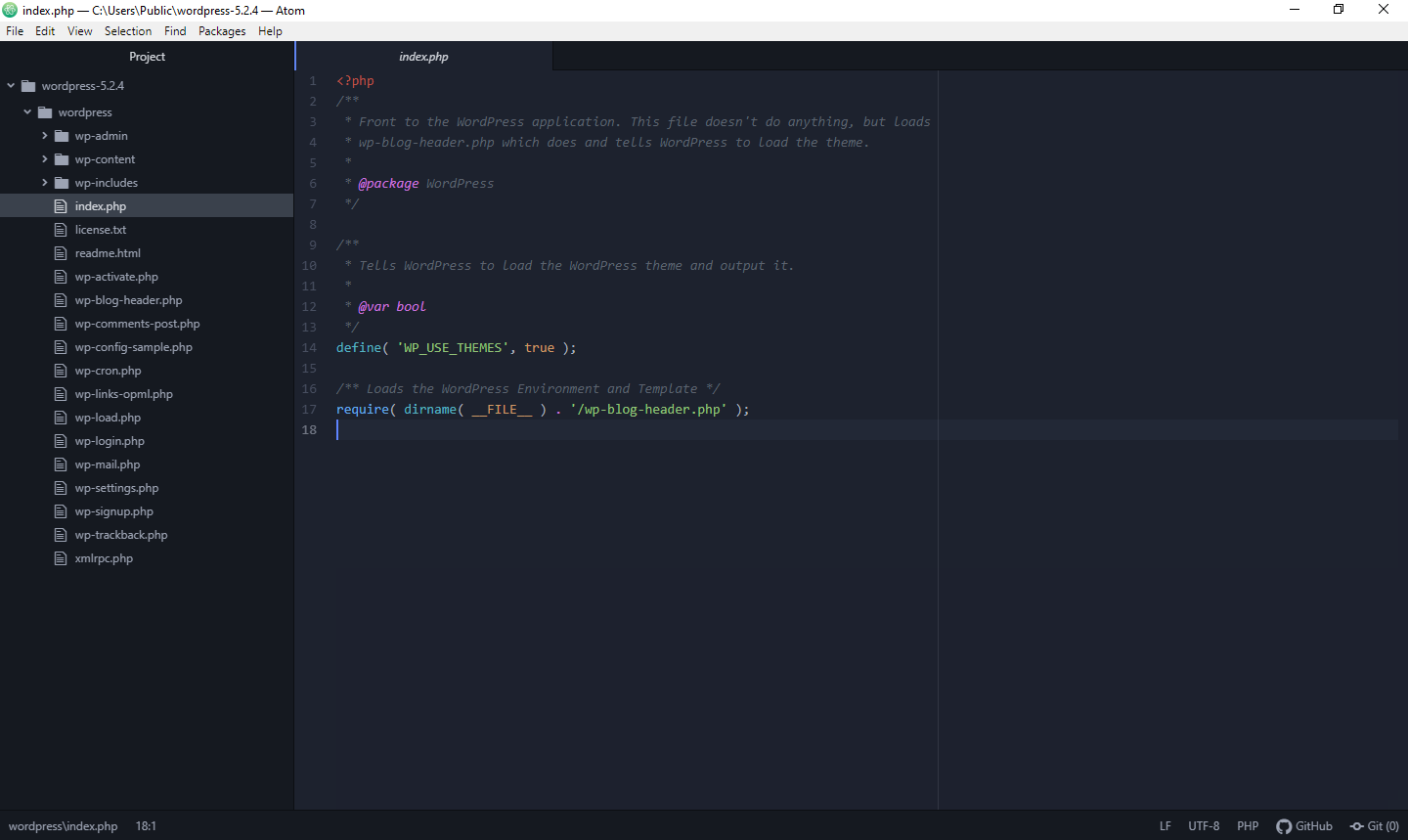
Atom

GitHub created Atom, an open-source code editor. It was greatly affected by the new style of editor popularised by Sublime Text during its initial development, although there are significant distinctions. Atom is a free and open-source text editor that comes with built-in support for Git and GitHub. It has had performance and stability issues in the past, although these have improved as Atom has evolved. It does take a little longer to start than some code editors, but once it’s up and running, it’s just as dependable and quick to use as any other. 

Gerrid Smith, Founder of Corporate Investigation Consulting

Espresso

Espresso has always been a popular choice among Mac users. Its sleek interface, live preview, and drag-and-drop functionality make it easy for beginners to use for front-end design work. Some have found it to be buggy of late, with some unexpected crashes, but its sleek interface, live preview, and drag-and-drop functionality make it easy for beginners to use for front-end design work. 

Your files, the code editor, and the navigator, which allows you to see the various areas of code you’re working on, are organized into three columns. The live style function allows you to make changes to CSS code for live web pages and preview the results without having to publish or save anything.

Ariana Flynn, Marketing and Communications Manager ProxyRack

Vim

Vim is, without a doubt, the most divisive code editor on our list. Vim is a command-line application that comes standard with Linux and macOS and can be downloaded for Windows. It’s a favorite of many old-school programmers and keyboard fans. It’s fully controlled by the keyboard, which makes it considerably faster and more efficient, but only if you put in the time to learn how to use it. 

It’s also highly configurable (to the extent that a command-line application can be). You may utilize a variety of keyboard shortcuts to speed up code editing, and you can even design your own custom commands to suit your needs.

Bram Jansen, Chief Editor of vpnAlert

Brackets

Adobe Systems built Brackets primarily for web designers and front-end developers. If you mostly work on the front end, it may be the best source code editor for you (HTML, CSS, JavaScript). Its ability to establish a real-time connection with Google Chrome is one of its most impressive capabilities. This means you can see the changes you’re making in the browser right away. 

Although the editor can be split into vertical or horizontal panes for side-by-side coding, Brackets also includes the useful inline editing capability. If you pick a specific CSS ID with the cursor, for example, you can open the inline editor by pressing Ctrl + E (on Windows) or Cmd + E (on Mac). Then, in an inline window, Brackets will show you all the selectors that pertain to that ID. 

Brackets also support Sass and LESS, allowing you to utilize them in conjunction with inline editing and live preview, I believe.

Will Cannon, CEO of Signaturely

Notepad++

is a lightweight code editor that is open-source. It’s a multilingual Notepad replacement. It’s simple to use and consumes very minimal CPU resources. It contains useful tools for web designers and front-end developers. Syntax highlighting, auto-completion, color coding, line numbering, multi-document editing, and zooming in and out are all available in Notepad++. Only Windows users can use it, I believe 

Nick Edwards, Director at Snow Finders  

NetBeans

NetBeans is an open-source, competent cross-platform code editor for web developers. It works splendidly with Linux, Mac, and even Windows. It is used to code Java, C++, PHP, and similar programming languages without any hassle. The platform’s debugging capacity is admirable, which will permit developers to find bugs and mistakes appropriately without a miss. 

Hire web developers and have your preferred code in the OS, according to your accommodation with NetBeans. It is an ideal platform with regards to testing scripts and well-suited for executing server-based applications, pages flawlessly. It will also assist you with rapid code generation. 

Vinod Satapara, the Director of a custom software development company; AngularJS Development Company iFour Technolab Pvt. Ltd.

Categories
Web Development Website Building

9 Productivity Tips for Web Developers

There are many ways we can improve our products and work smarter rather than harder. Web developers need to spend extensive hours at the computer, and applying some techniques to improve their productivity can go a long way. We talked to the experts, and here are their practical tips on how web developers can streamline their workflow and make the development process move smoothly and quickly.

1. Use A Web Development Framework

Some web developers are hesitant to adopt frameworks because they may be difficult to master on their own. Those who have used a web development framework, on the other hand, will tell you how useful it is in a variety of ways.  The following are some of the things that good web development frameworks with robust capabilities can help you with: 

  • Because of the consistent API, reusing code is easier.
  • Extensions and tools created by the community to aid development
  • You’ll save time and improve the quality of your offerings by doing so.
  • Make sure you’re using proper coding practices and effective programming design patterns.
  • Beginners will find it easier to get started with.
  • Obtaining a secure code in a timely manner

Bram Jansen, Chief Editor of vpnAlert

2. Using The Right Tools

This is one area where web developers must be meticulous. As a web developer, being able to efficiently use the correct tools is crucial to getting the job done. Web developers must use a decent selection of web development apps to increase their efficiency. 

People with various professional backgrounds, of course, will require different productivity tools. Web developers can, however, use top-rated project management and team collaboration software to keep track of the project’s progress and communicate with other team members. 

A decent project management platform will provide a slew of useful features, such as online proofing, task management, time management, group chat, Gantt charts, and more, to help web professionals collaborate and function more effectively.

Lauren Cook-McKay, Director of Marketing & Content of Divorce Answers

3. Keep Things Simple

This suggestion may be towards the bottom of the list, but it is most likely the most significant. Web developers’ work is frequently made more difficult. It seems like web developers are often in precarious situations, from performing more than the work provided to setting themselves up for too much work in a certain time span. This isn’t to argue that web developers should always offer the bare minimum to clients, but there’s no need to impress them by delivering the most. 

Though there are times when you may be compelled to work overtime on a project, those instances are rare. Developers should only deliver the job that the client has requested, nothing more and nothing less. Keep things simple, and don’t make your productivity plan too complicated.

Ariana Flynn, Marketing and Communications Manager at ProxyRack

4. Offline Documentation

When you’re stuck, you’ll definitely look for documentation on a certain library or framework online; but, having offline documentation on your laptop may save you a lot of time and significantly minimize context shifts. Dash is the greatest available solution for keeping your documents on the market since it already comes with documentation for every programming language conceivable, as well as connections with IDEs and comprehensive customization.

What’s more essential is to write your own documentation for each project and to restructure and maintain your code on a regular basis to increase your and your team’s productivity. 

5. Use a Framework

Some web developers are hesitant to adopt frameworks since they may be difficult to master on their own. Those who have used a web development framework, on the other hand, will tell you how useful it is in a variety of ways.  The following are some of the things that good web development frameworks with robust capabilities may help you with:

  • Because of the uniform API, reusing code is easy.
  • Extensions and tools created by the community to aid development
  • You’ll save time and improve the quality of your offerings by doing so.
  • Ensures that you’re using proper coding practices and effective programming design patterns.
  • Beginners will find it easier to get started with.
  • Secure codes can be obtained quickly.

Isla Sibanda, Cybersecurity Specialist with a background in ethical hacking and an entrepreneur at privacyaustralia.net

6. Putting The Tasks In A Batch

When web developers are working on a project, they must complete a number of tasks. They work around the clock on everything from the site’s blueprint to coding and testing for faults and functioning. When the project is in process, it is preferable that people concentrate on one task at a time. 

If they need to undertake significant bug testing for a website, for example, they should set out a couple of days for that activity alone. That is preferable to attempting to perform multiple tasks at the same time. As a result, the developers can avoid the risk of completing any assignment half-baked, I am convinced.

Julian Goldie, CEO of Goldie Agency

7. Make A To-Do List For Yourself

There are many jobs involved in website creation, and not effectively organizing your calendar is the leading source of inefficiency. As a result, before you start working on a client’s site, whether it’s an eCommerce site or a personal blog, prepare a list of the jobs you need to finish and their dates. 

Fortunately, we live in a digital age, so creating timetables has never been simpler. You can now simply set up a to-do list of your chores, automate your processes, and combine a range of productivity tools with apps like Microsoft To-Do, Trello, Todoist, and Zapier.

You should, however, avoid over-planning your timetable. An overly structured, restrictive schedule will simply add to your exhaustion and make you even less effective. Instead, create an open timetable that is adaptable to any changes to help you relax. 

Daniel Carter, SEO Manager at LUCAS Products & Services

8. Be Less Haphazard

If you’re a freelancer, this is something you should consider. Many people who work as freelancers, work from home, or have more flexibility in their jobs are terrible at arranging their days. Remember that a well-thought-out structure is critical to success. Even if you work for a company that allows you to do pretty much anything you want, it’s up to you to properly plan your workday.

From the time you wake up, organize your day for everything and organize your work. Consistency requires a lot of self-control, but it pays dividends. Don’t simply accept things as they are. Try to begin working at the same time each day and to take scheduled breaks at the same time each day. Make it a habit to stick to a strict regimen to avoid becoming haphazard in your work.

Daniel Foley, Founder of Daniel Foley SEO

9. Take Regular Breaks

You should make an effort to take breaks regularly. Remember that you are a human, not a machine. Working for long periods without taking a break is not only harmful to your physical and mental health, but it also causes you to make mistakes that could have been prevented if you had taken a decent break. 

You have complete control over how you take these breaks. You can take them on your own time or utilize a time-management approach like the Pomodoro Technique, which allows you to work in 25-minute increments and then take either 5-minute short breaks or 10-minute long pauses.

Determine which way of taking breaks is most effective for you, and then put it into practice. Remember that taking a break entails getting up from your desk and doing anything other than gazing at a computer screen. Dr. Dee Richardson, CEO & Owner Healing Hands Chiropractic

Secret Link